






























Every PDF tool you need, in one place
Merge, split, compress and convert your PDF files for free. All processing happens locally in your browser — your files are never uploaded to any server.
Merge PDF
Combine several PDFs into one file, in any order you like.
Split PDF
Extract specific pages or split your PDF into ranges.
Rotate PDF
Rotate the pages you need, one by one or all at once.
Compress PDF
Reduce the file size by re-optimizing its content.
PDF to images
Convert every page into a high-quality PNG image.
Images to PDF
Combine your photos or images into a single PDF document.
Watermark
Add overlay text to every page of your PDF.
Protect PDF
Add a password to restrict access to the file.
Unlock PDF
Remove the password from a PDF if you know it.
Remove pages
Delete the pages you don't need from your PDF document.
Extract pages
Select and save only the pages you need.
Reorder PDF
Freely reorganize, move or rearrange the pages in your document.
Crop PDF
Remove margins or adjust the visible area of the page.
Page numbers
Add page numbering with custom position, style and font.
Fill PDF forms
Detect fields and fill in existing PDF forms.
Sign PDF
Draw your signature and stamp it onto any page of the document.
Scan to PDF
Capture documents from your phone and send them straight into a PDF.
OCR PDF
Turn scanned PDFs into documents with selectable, searchable text.
PDF to Markdown
Extract your PDF's content into editable Markdown text.
Word to PDF
Convert Word (.docx) documents into PDF format.
Excel to PDF
Turn Excel spreadsheets (.xlsx) into PDF documents.
Compare PDF
Place two versions of a PDF side by side to spot the differences.
Redact PDF
Permanently cover up text or graphics containing sensitive information.
Repair PDF
Attempt to recover and fix damaged or corrupted PDF files.
JPG to PDF
Convert one or several JPG photos into a single PDF document.
PNG to PDF
Convert one or several PNG images into a single PDF document.
PDF to JPG
Convert every page of your PDF into a JPG image.
PDF to PNG
Convert every page of your PDF into a high-quality PNG image.
WEBP to PDF
Convert one or more WEBP images into a single PDF document.
PDF to WEBP
Convert each page of your PDF into a lightweight, high-quality WEBP image.
PDF to Word
Extract text from your PDF into an editable Word document (.docx).
PDF to Excel
Extract text and tables from your PDF into an Excel spreadsheet (.xlsx).
HEIC to PDF
Convert one or multiple HEIC photos (iPhone format) into a single PDF document.
EML to PDF
Convert an email (.eml) into a PDF document, including sender, recipient, subject, and message body.
MHT/MHTML to PDF
Convert a web page saved in MHT or MHTML format into a PDF document.
E-book Tools — View all book tools →
These conversions require Calibre on the server, so the file is uploaded (and deleted right after).
EPUB to PDF
Convert your EPUB books into PDF, ready to print or read on any device.
PDF to EPUB
Turn a PDF into a reflowable EPUB book for e-readers.
PDF to MOBI
Convert a PDF into MOBI format, compatible with older Kindle devices.
MOBI to PDF
Convert your MOBI files into PDF so you can read them on any device.
AZW & AZW3 to PDF
Convert Kindle AZW or AZW3 books into PDF format.
PDF to AZW3
Convert a PDF into AZW3 format to read on your Kindle.
MOBI to EPUB
Convert your MOBI files into the more universal EPUB format.
EPUB to MOBI
Convert your EPUB books into MOBI format for Kindle.
AZW & AZW3 to EPUB
Convert your AZW or AZW3 files into EPUB format.
EPUB to AZW3
Convert your EPUB files into AZW3 format.
CBR & CBZ to PDF
Convert your CBR or CBZ files into PDF format.
CBR & CBZ to EPUB
Convert your CBR or CBZ files into EPUB format.
DJVU to PDF
Convert your DJVU files into PDF format.
TXT to PDF
Convert your TXT files into PDF format.
TXT to EPUB
Convert your TXT files into EPUB format.
RTF to PDF
Convert your RTF files into PDF format.
PDF to RTF
Convert your PDF files into RTF format.
RTF to EPUB
Convert your RTF files into EPUB format.
EPUB to RTF
Convert your EPUB files into RTF format.
FBZ to PDF
Convert your FBZ files into PDF format.
FBZ to EPUB
Convert your FBZ files into EPUB format.
FB2 to PDF
Convert your FB2 files into PDF format.
PDF to FB2
Convert your PDF files into FB2 format.
FB2 to EPUB
Convert your FB2 files into EPUB format.
EPUB to FB2
Convert your EPUB files into FB2 format.
Image Tools — View all image tools →
Compress, resize, crop and convert your images without uploading them to any server.
Compress image
Shrink your JPG, PNG or WEBP images with barely any quality loss.

Resize image
Change the width and height of your images in pixels or by percentage.

Crop image
Crop your images by selecting exactly the part you want to keep.

Rotate image
Rotate your images 90°, 180° or 270° in seconds.
Convert to JPG
Convert PNG, WEBP, BMP or GIF images to JPG format.
Convert JPG to PNG
Convert your JPG photos to PNG, ideal if you need a transparent background.
Convert to WebP
Convert your JPG or PNG images to WebP format, lighter for the web.
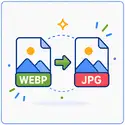
Convert WebP to JPG
Convert a WebP image to JPG, compatible with any program or device.

Add watermark to image
Add text or your logo as a watermark on your images.
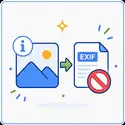
Remove EXIF metadata
Remove GPS location and other hidden data from your photos before sharing them.

Blur image
Blur or pixelate an area of your image to hide faces, license plates or sensitive info.
Add border to image
Add a colored border around your image, with the thickness you prefer.

Crop image to circle
Crop your image into a circular shape, ideal for profile pictures.
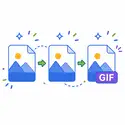
Create animated GIF
Combine several images into an animated GIF: you choose the order and speed.
Compare images
Compare two images side by side and slide to see the differences.
Extract color palette
Extract the dominant colors from an image along with their hex code.
Audio Tools — View all audio tools →
Convert your audio files between formats (MP3, WAV, OGG, FLAC) without uploading them to any server.
FLAC to WAV
Converts a FLAC audio file to WAV format.
MP3 to WAV
Convert an MP3 audio file to WAV format without additional quality loss.
MP3 to OGG
Converts an MP3 audio file to OGG (Vorbis) format.
MP3 to FLAC
Converts an MP3 audio file to FLAC format.
FLAC to MP3
Convert a FLAC audio file to MP3 format.
WAV to MP3
Convert a WAV audio file to MP3 format.
OGG to MP3
Convert an OGG audio file to MP3 format.
MP4 to MP3
Extract the audio from an MP4 video and convert it to MP3 format.
Video Tools — View all video tools →
Convert your videos to MP4 without uploading them to any server — everything happens in your browser.
MOV to MP4
Convert a MOV video (Apple/QuickTime format) to MP4 without losing quality.
3GP to MP4
Convert a 3GP video (old mobile format) to MP4.

Trim video
Cut a segment from your MP4 video by choosing the start and end points.
Mute video
Removes the audio track from an MP4 video, leaving only the image.
Extract video frame
Get a still image from a specific moment in your MP4 video.
MP4 to MP3
Extract the audio from an MP4 video and convert it to MP3 format.
Security Tools — View all security tools →
Encrypt your files, generate secure passwords and verify their strength — all with native encryption technology in your own browser.

Encrypt file
Protect any file with a password, using real AES-256 encryption.

Decrypt file
Recover an encrypted file from our tool, using your password.

Password Generator
Generate random and secure passwords with the length and characters you choose.
Check password strength
Find out how secure your password is, without it ever leaving your browser.
Hash Calculator
Calculate the SHA-1, SHA-256, SHA-384, and SHA-512 hash of any file.
Information

A complete toolset
Everything you need to work with PDFs and e-books, in one place: merge, split, compress, convert, protect, sign and much more.
Easy to use
Every tool is designed to be solved in a couple of clicks. No manuals, no setup, no learning curve.
Privacy comes first
Most of our tools process your file directly in your browser: it never leaves your computer. The few that do need a server tell you clearly before uploading anything.

No installation
Works straight from your browser. No software to install, no account to create before you start.
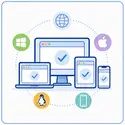
Works on any device
Windows, macOS, Linux or your phone: PDFDocks works just as well in any modern browser, with nothing extra to install.
Fast and lightweight
Since most files are processed right in your browser, you're never stuck in a queue or waiting on a shared server's load.

100% free
Every tool is free, with no hidden restrictions. There's no paid tier hiding behind a wall.
No artificial limits
Convert, merge or compress as many files as you need, as many times as you like — no counters, no daily quotas.

Available in 30 languages
The whole site is translated into 30 languages, so you can use it in yours without relying on your browser's auto-translate.


